November 18, 2026
2 min read
Xbox Insiders Can Now Move the Guide to the Right
Alpha Skip-Ahead Insiders get a right-side Guide, shuffling dynamic backgrounds and a separate home for disc-claimed games.
The short version
A November 12 Xbox Insider update lets Alpha Skip-Ahead members open the Guide on the right side of the screen, save and shuffle favorite dynamic backgrounds, and see disc-claimed digital licenses in their own library category. Wider rollout comes later.

By Chuy, Senior Staff Writer
Nov 18, 2026 · Reviewed by the Nexzy newsroom
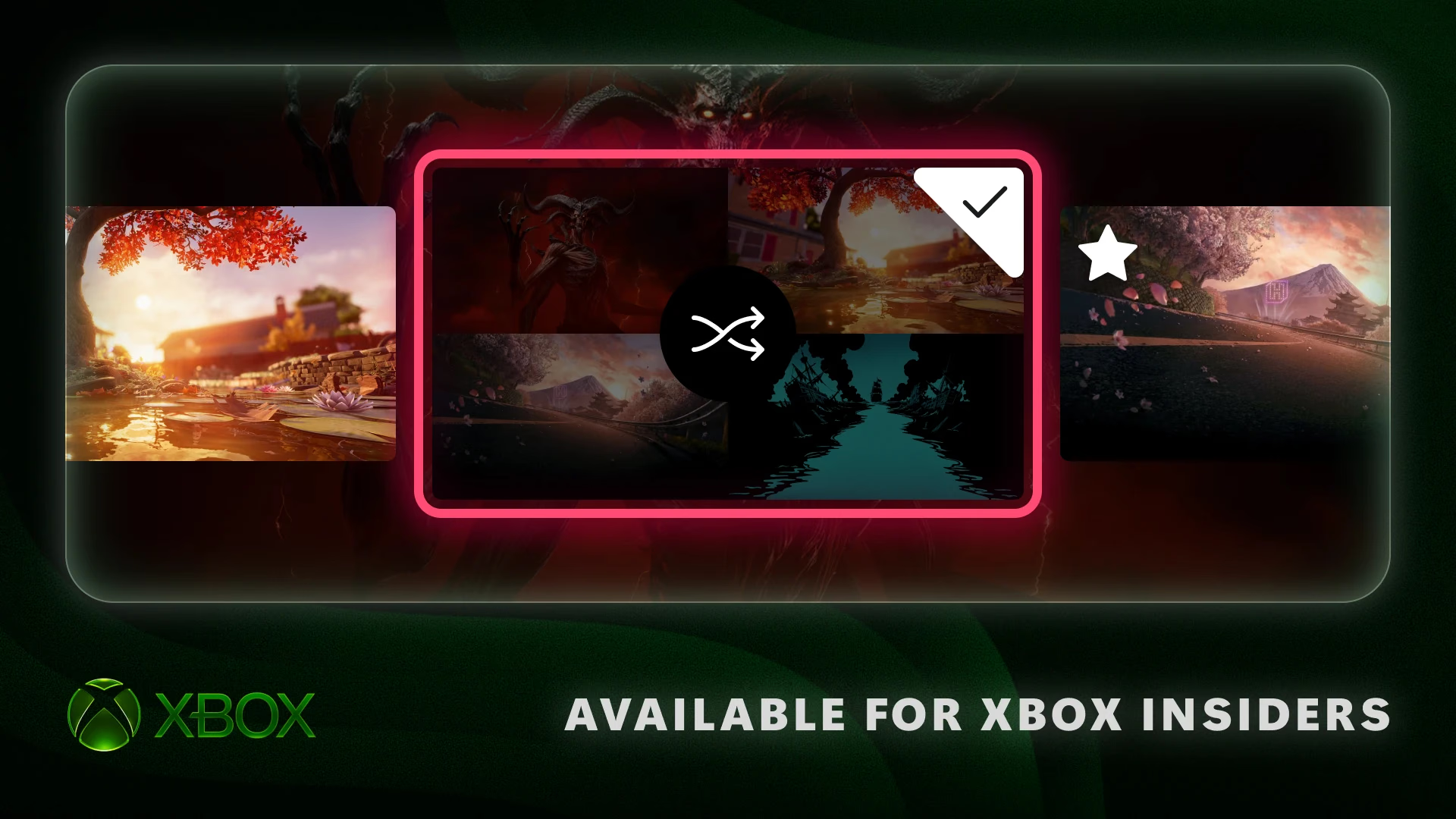
A new Xbox Insider update, announced November 12, lets Alpha Skip-Ahead members move the Guide to the right side of the screen, shuffle favorite dynamic backgrounds, and give disc-claimed games their own library category. Microsoft says the features reach more Insiders and players over time. Twenty-five years of opening on the left, and now it's a choice.
"Tell us if you're team left or team right," Eden Marie and Judy Chen wrote on Xbox Wire.
The details
- Who gets it: Alpha Skip-Ahead Insiders first, more players later
- Guide: open it on the left or right
- Backgrounds: favorite dynamic backgrounds and shuffle them at sign-in, hourly, daily or weekly
- Library: disc-claimed digital licenses get their own category, with a toggle to hide the license icon
How do the new background options work?
Go to Settings > General > Personalization > My background > Dynamic backgrounds, pick one and press X to add it to a new Favorites category. You can then set the console to shuffle through your favorites at each sign-in or every hour, day or week. Favoriting the background tied to the Xbox Wireless Controller X25 Special Edition also keeps it usable when that controller isn't connected.
What changes for disc-based games?
Players have been able to claim digital licenses for disc-based games since August. Those games now show up in a separate category in your full library. To keep them mixed in with everything else, or to hide the digital license icon on game tiles, go to Settings > General > Personalization > Games & apps.
Where is the Guide setting?
It's under Settings > General > Personalization > Guide, where you pick left or right.
Why it matters
The update adds three new personalization settings for the Xbox Home screen, library and Guide. They're in Alpha Skip-Ahead now, and Microsoft says they will reach more Insiders and players over time. Feedback goes through Xbox Player Voice and the Xbox Insider subreddit.
Which side of the screen do you prefer for the Xbox Guide?
You tell us — tap to vote
Sources (1)
▾ tap to expand
Sources (1)
▾ tap to expandThe weekly gaming digest
One email a week with the biggest gaming news — PC, every console, hardware, and deals. No spam, unsubscribe anytime.
Make it yours
Make Nexzy yours.
Follow the games you love in the Nexzy app and their news, trailers and updates land in one feed. Free on iOS & Android.
Chuy
Join the conversation
0 comments
Loading comments…
Keep reading

Fable Gameplay Deep Dive Shows Deepwood and New Heroes
A spoiler-light clip from Deepwood, three new Heroes and one-versus-many combat, ahead of the February 23, 2027 launch.
Nov 18, 2026
Candy Crush Saga Adds Halo, Fallout and DOOM for Xbox 25
Tiffi gets pink Mjolnir armor, Dachs dresses as Dogmeat, and the Cacodemon becomes a collectible pin.
Nov 18, 2026

21 Original Xbox Games Expand PC Backward Compatibility Lineup to 25
Microsoft is celebrating 25 years of Xbox by bringing classic console titles to Windows 11, complete with retro achievements and mouse support.
Nov 18, 2026